Security Affairs
Medtronic Notifies 3.8 Million After ShinyHunters Data Breach|SECURITY AFFAIRS MALWARE NEWSLETTER ROUND 104|Security Affairs newsletter Round 584 by Pierluigi Paganini – INTERNATIONAL EDITION|U.S. Government Agency Paid $1M to Data Extortion Group Kairos|FBI: TeamPCP Compromised Dev Tools to Steal Cloud Credentials|Pegasus Used Against MEP Investigating Pegasus, Citizen Lab Finds|JADEPUFFER: First End-to-End AI-Driven Ransomware Operation|The Anatomy of a Shadow AI Supply-Chain Breach: Lessons from the 2026 Vercel Incident|Law enforcememt operation disrupted Malicious Residential Proxy Networks NetNut|Government and Healthcare Are the Weakest Links in Global Email Security|Europe Confirms Record €4.1B Penalty Against Google for Android Practices|U.S. CISA adds a Microsoft SharePoint Server flaw to its Known Exploited Vulnerabilities catalog|Medtronic Notifies 3.8 Million After ShinyHunters Data Breach|SECURITY AFFAIRS MALWARE NEWSLETTER ROUND 104|Security Affairs newsletter Round 584 by Pierluigi Paganini – INTERNATIONAL EDITION|U.S. Government Agency Paid $1M to Data Extortion Group Kairos|FBI: TeamPCP Compromised Dev Tools to Steal Cloud Credentials|Pegasus Used Against MEP Investigating Pegasus, Citizen Lab Finds|JADEPUFFER: First End-to-End AI-Driven Ransomware Operation|The Anatomy of a Shadow AI Supply-Chain Breach: Lessons from the 2026 Vercel Incident|Law enforcememt operation disrupted Malicious Residential Proxy Networks NetNut|Government and Healthcare Are the Weakest Links in Global Email Security|Europe Confirms Record €4.1B Penalty Against Google for Android Practices|U.S. CISA adds a Microsoft SharePoint Server flaw to its Known Exploited Vulnerabilities catalog|
Advertisement

Ad Placeholder

Full Width × 90

Breaking News

Signature update for Symantec Endpoint protection crashed many device

Symantec rolled out an intrusion prevention signature update for its Endpoint Protection product that has caused many devices to crash and display a so-called blue screen of death (BSOD). An intrusion prevention signature update for the Endpoint Protection product had a bad impact on the devices, in many cases it caused the devices to crash […]

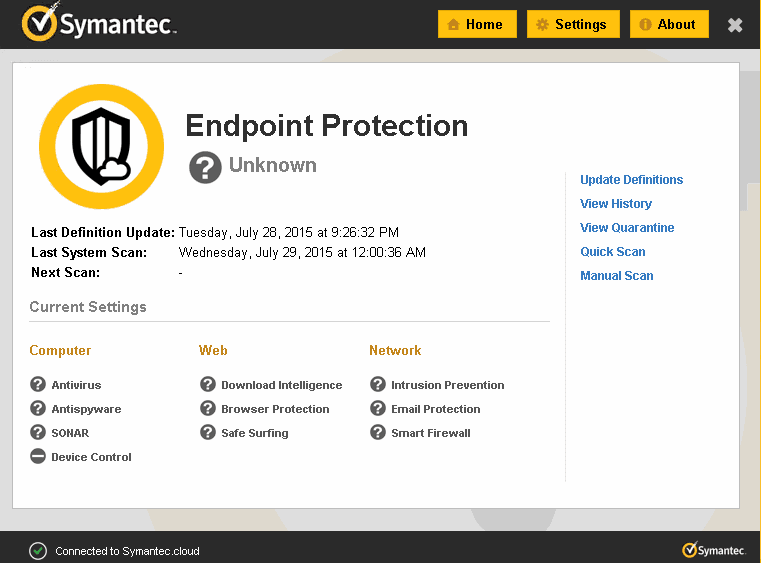
Symantec Endpoint Protection

Symantec rolled out an intrusion prevention signature update for its Endpoint Protection product that has caused many devices to crash and display a so-called blue screen of death (BSOD).

An intrusion prevention signature update for the Endpoint Protection product had a bad impact on the devices, in many cases it caused the devices to crash and display the blue screen of death (BSOD).

Several users reported problems through the company’s support forums and other sites online.

https://twitter.com/_HAL_9OOO_/status/1184021875644682241

Customers complained about problems with Windows 7, 8 and 10.

Symantec Endpoint Protection

Symantec has acknowledged the problem with the update to its Endpoint Protection Client explaining that it causes a Windows kernel exception.

The company released the version 2019/10/14 r62 to address the issue caused by the 2019/10/14 r61 update.

“After running LiveUpdate on Symantec Endpoint Protection (SEP), the computer crashes indicating IDSvix86.sys/IDSvia64.sys as the cause of the exception.” reads the security advisory published by the researchers.

Symantec recommends to download the new signature version for the Endpoint Protection or roll back to an earlier stable version.

“Please run LiveUpdate to download latest Intrusion Prevention signature 2019/10/14 r62, or rollback to an earlier known good content revision to prevent the BSOD situation. Please check How to Backdate Virus Definitions in Endpoint Protection Manager for more details on how to roll back definitions.” continues Symantec.

Customers who cannot run LiveUpdate to apply the signatures on their systems can use the following workaround:

  1. Boot in Safe Mode and perform the following for x64 or x86 installations of SEP,
  2. Run sc config idsvia64 start= disabled or sc config idsviax86 start=disabled from cmd,
  3. Reboot in normal mode,
  4. Update the IPSdefs,
  5. Run sc config idsvia64 start= system or sc config idsviax86 start=system from cmd
  6. Reboot.
[adrotate banner=”9″] [adrotate banner=”12″]

Pierluigi Paganini

(SecurityAffairs – Symantec, BSOD)

[adrotate banner=”5″]

[adrotate banner=”13″]